Zoho Expense

MCP SERVER
FOR
ZOHO EXPENSE

Connect Zoho Expense actions with AI tools like ChatGPT, Claude, and Cursor using the Mushrooms MCP Server.

Get Your Cluster (MCP Server) URL
AI AGENT
AI
AI Agent
What can I help you with?
You
You
I want to use Zoho Expense with my AI agent.
AI
AI Agent · MCP Tool Calling…
Use Zoho Expense
Action in Progress…
ClaudeClaudeChatGPTChatGPTCursorCursorWindsurfWindsurfGeminiGeminiCopilotCopilotContinueContinueClineClineZedZedCodyCodyAmpAmpClaudeClaudeChatGPTChatGPTCursorCursorWindsurfWindsurfGeminiGeminiCopilotCopilotContinueContinueClineClineZedZedCodyCodyAmpAmpClaudeClaudeChatGPTChatGPTCursorCursorWindsurfWindsurfGeminiGeminiCopilotCopilotContinueContinueClineClineZedZedCodyCodyAmpAmp
23 Actions Available

Supported Actions

Add 23 power ups to your AI client for seamless integration

Zoho Expense
Create Currency
Add a new currency to Zoho Expense by providing its ISO code, display format, name, symbol, and decimal precision.
Zoho Expense
Create a Trip
Creates a trip record in Zoho Expense with destination, attendees, budget, currency, and travel preferences.
Zoho Expense
Create User
Creates a new user in Zoho Expense account.
Zoho Expense
Create Expense Categories
Create a new expense category with optional GL code, description, maximum and receipt limits, and a flat amount.
Zoho Expense
Create Project
Create a new project linked to a customer, set visibility and description, and optionally assign users.
Zoho Expense
Search Trip
Retrieve trip details (dates, status, itinerary, requester) by Trip ID.
Zoho Expense
Search Expense Category
Retrieve details for a specific expense category using its Expense Category ID.
Zoho Expense
Search Customer
Retrieve customer details from Zoho Expense using the Customer ID.

WHICH AI CLIENT ARE YOU USING?

Pick the AI you want to connect Apps with.

Loading…

USE CASES YOUR AI CAN EXECUTE.

gmail icon
notion icon

Summarise my unread emails and log the action items to Notion

github icon
slack icon

Summarise what changed in this PR and post it to #engineering

linear icon
slack icon

What's blocking the team this week? Post the summary to #standup

notion icon
gmail icon

Draft emails to everyone in my meeting notes who has a follow-up

hubspot icon
gmail icon

Find deals that haven't been touched in 7 days and draft a follow-up

slack icon
notion icon

Collect all decisions made in #product this week and write them up in Notion

Why teams
use Mushrooms

OPTIMIZED EXECUTION

Less tokens. Faster responses. No bloated context windows.

2,000+ INTEGRATIONS

2,000+ apps. No custom API wrappers. Just plug in.

SECURE CHANNEL

Your data stays within your boundary. Nothing stored, nothing shared.

LOG HISTORY

Every action recorded. Full visibility into what happened and when.

YOU CONTROL THE AI

Granular permissions per action. Nothing runs without your approval.

HOW MUSHROOMS
WORK.

Mushrooms connects your AI to real-world tools and translates intent into controlled actions.

1
2
3
Connect your AI
One MCP URL connects any AI client — Claude, Cursor, Windsurf, ChatGPT — instantly to your stack.
Select tools & actions
Choose from 2,000+ apps and define exactly what your AI can do — granular, per-action permissions.
Execute with control
Every action is scoped, logged, and approved. Your AI runs with intent — nothing happens without your rules.

Start getting work done via Mushrooms

Break free from isolation. Connect your AI to real-world tools for smarter, more impactful results.

Free for Lifetime

Mushrooms is free to use for lifetime under a fair usage policy, without rate limits.

Get your Cluster (MCP Server) URL

For Enterprises

Mushrooms for Enterprises empowers AI models to securely connect to thousands of apps in minutes.

Contact Sales
FROM THE MUSHROOMS BLOG.

EVERYTHING YOU NEED TO KNOW.

What is MCP?+
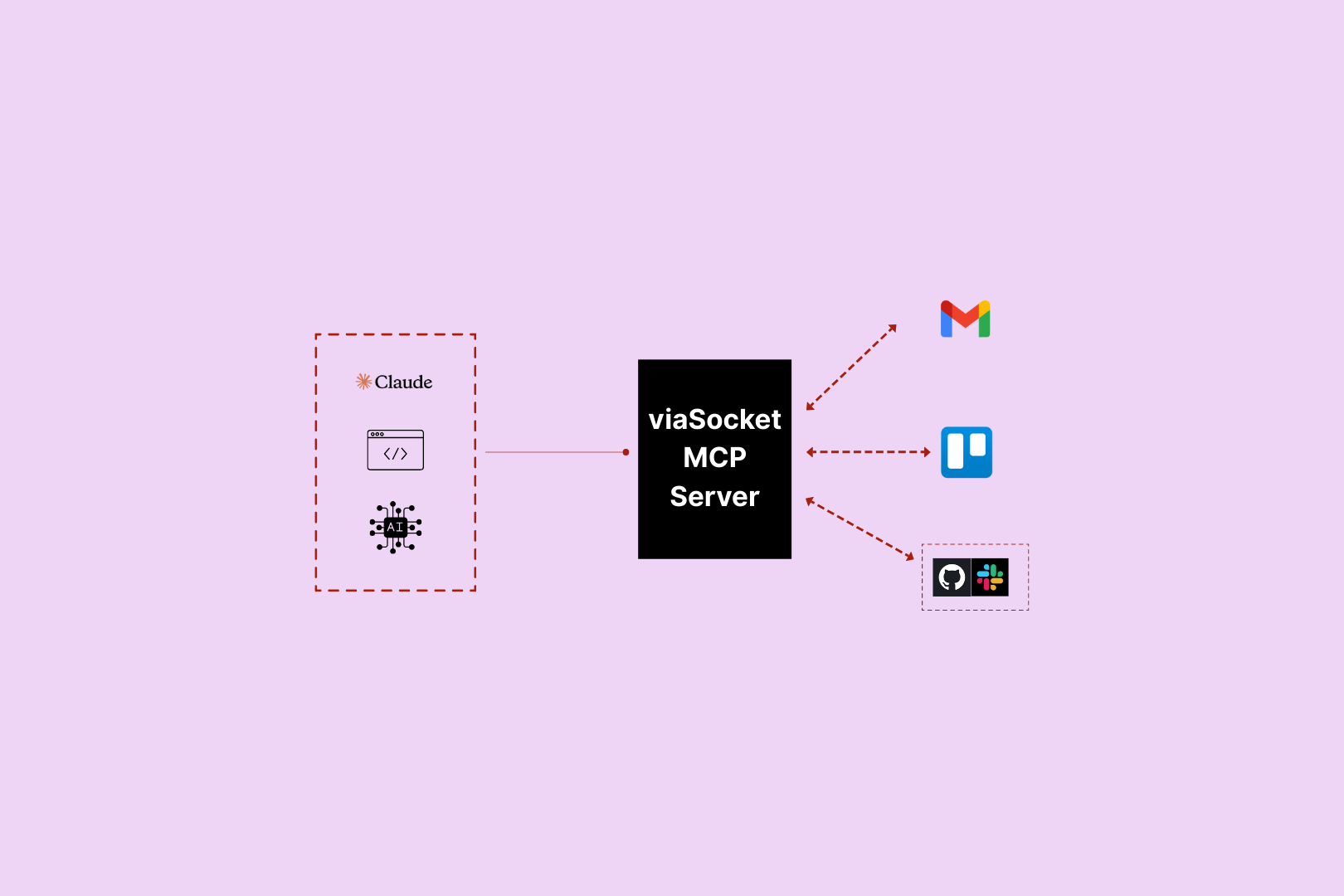
MCP (Model Context Protocol) is an open standard that lets AI models connect to external tools and take real-world actions. In Mushrooms, each Cluster (MCP Server) you create gets its own URL — paste it into your AI client and your AI instantly has access to every Power-Up you've connected.
What is Mushrooms?+
Mushrooms is a power-up layer for your AI. Connect your AI client — Claude, ChatGPT, Cursor — to the apps you use, and your AI gains the ability to actually do things in those apps. Read emails, create tasks, post messages, pull data. Not just talk about it — do it.
Which AI platforms does Mushrooms work with?+
Mushrooms works with any AI client that supports MCP — including Claude, Cursor, and other MCP-compatible clients. More are being added continuously.
Is Mushrooms free?+
Yes — Mushrooms is free to use. Connect your AI client, add Power-Ups, and start giving your AI real-world actions at no cost. Full access, no credit card required. Learn more
Is Mushrooms secure?+
Yes. Every app connection uses OAuth — you authorise exactly what your AI can and can't do, action by action. You stay in full control. Credentials are never stored in plain text and connections can be revoked at any time.
Which apps can I connect?+
2,000+ apps including Slack, Gmail, GitHub, Notion, Linear, HubSpot, Google Calendar, Airtable, Figma, Stripe, Shopify, and more. If it has an API, it's very likely already supported.
MCP Server for Zoho Expense | Mushrooms