WindsurfWindsurf×SlackSlack

Connect Windsurf to Slack

Let Windsurf read data, take actions, and automate workflows in Slack — directly from your conversation.

GET YOUR MCP SERVER URL

Windsurf + Slack Use Cases

Windsurfworks best when it reaches across your whole stack — here's what that looks like in practice.

Create an opportunity in Sangam-crm when New member join/leave or updated in channel in Slack channel

slack → sangam-crm

Create an opportunity in Sangam-crm when Recent Thread Messages from Slack

slack → sangam-crm

Get Thread Replies from a Gmail thread when New member join/leave or updated in channel in Slack channel

slack → gmail

Get Thread Replies from a Gmail thread when Recent Thread Messages from Slack

slack → gmail

Get All Orders from Shopify when New member join/leave or updated in channel in Slack channel

slack → shopify

Get All Orders from Shopify when Recent Thread Messages from Slack

slack → shopify

From Prompt to Action

Watch Windsurf connect to Slack in real time.

🍄 Windsurf · Slack

What Windsurf Can Do in Slack

Send Message
Send message to channel or user
Send Interactive messages
This action is built for human intervention purpose to get user input for running flow. although the functionality is also workingh in send message action
Send Block/buttons/Intractive message using AI
Send Block, buttons, or slack form using AI
View_open BlockKit Modal using JSON
Open Model as a response or any BlockKit action
View all 21 actions in Slack

How to Connect Windsurf

Pick your setup method — both take under two minutes.

1
Open Windsurf Settings (⌘+, on Mac, Ctrl+, on Windows)
2
Go to the Cascade section and click 'Manage MCPs'
3
Click 'View raw config' and add the JSON configuration
4
Save and restart Windsurf

Start getting work done via Mushrooms

Break free from isolation. Connect your AI to real-world tools for smarter, more impactful results.

Free for Lifetime

Mushrooms is free to use for lifetime under a fair usage policy, without rate limits.

Get your Cluster (MCP Server) URL

For Enterprises

Mushrooms for Enterprises empowers AI models to securely connect to thousands of apps in minutes.

Contact Sales

FROM THE MUSHROOMS BLOG.

EVERYTHING YOU NEED TO KNOW.

What is MCP?+
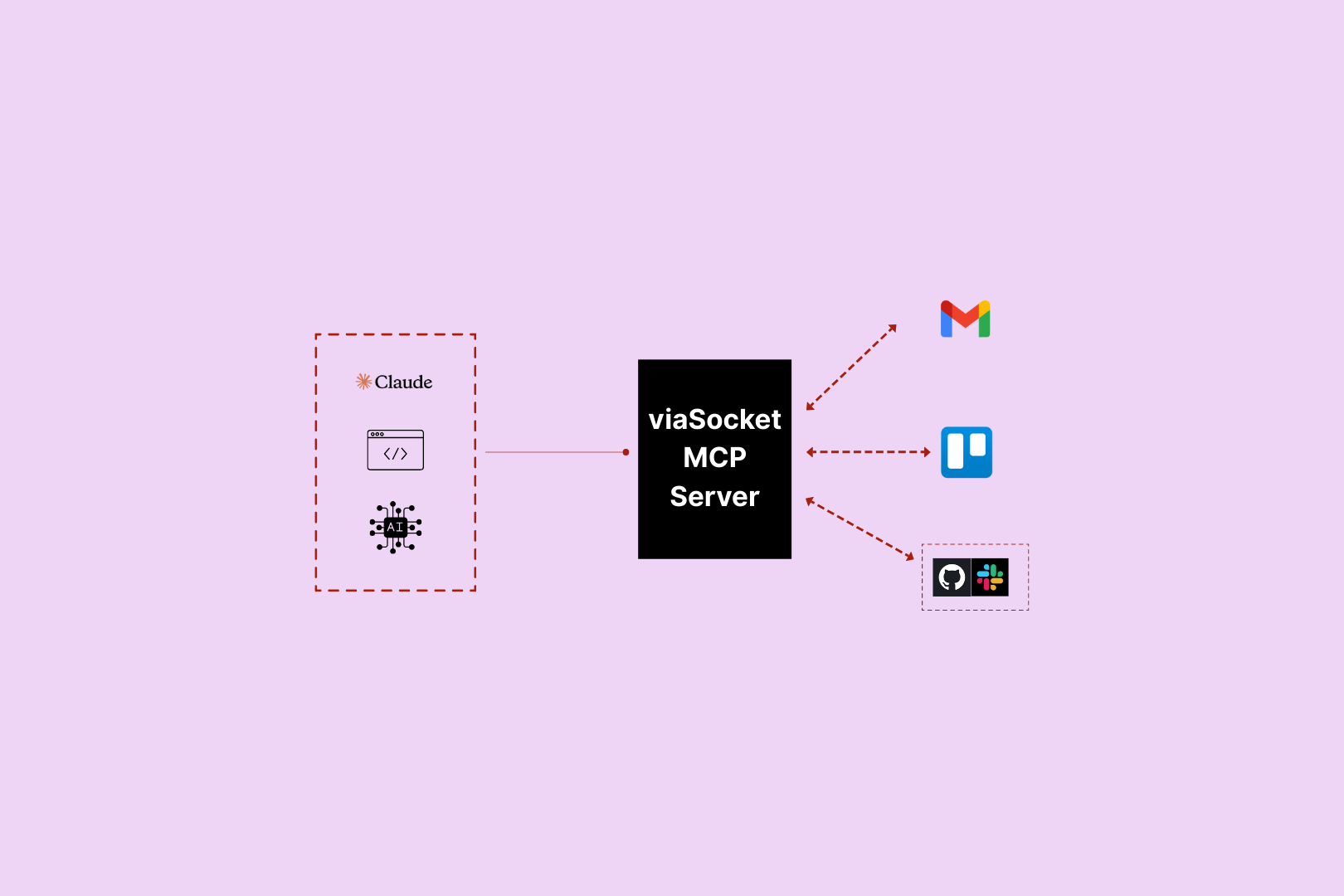
MCP (Model Context Protocol) is an open standard that lets AI models connect to external tools and take real-world actions. In Mushrooms, each Cluster (MCP Server) you create gets its own URL — paste it into your AI client and your AI instantly has access to every Power-Up you've connected.
What is Mushrooms?+
Mushrooms is a power-up layer for your AI. Connect your AI client — Claude, ChatGPT, Cursor — to the apps you use, and your AI gains the ability to actually do things in those apps. Read emails, create tasks, post messages, pull data. Not just talk about it — do it.
Which AI platforms does Mushrooms work with?+
Mushrooms works with any AI client that supports MCP — including Claude, Cursor, and other MCP-compatible clients. More are being added continuously.
Is Mushrooms free?+
Yes — Mushrooms is free to use. Connect your AI client, add Power-Ups, and start giving your AI real-world actions at no cost. Full access, no credit card required. Learn more
Is Mushrooms secure?+
Yes. Every app connection uses OAuth — you authorise exactly what your AI can and can't do, action by action. You stay in full control. Credentials are never stored in plain text and connections can be revoked at any time.
Which apps can I connect?+
2,000+ apps including Slack, Gmail, GitHub, Notion, Linear, HubSpot, Google Calendar, Airtable, Figma, Stripe, Shopify, and more. If it has an API, it's very likely already supported.

About Windsurf + Slack

WindsurfWindsurf

Windsurf is an AI assistant that can take real actions across your apps via Mushrooms MCP — no code required.

Learn more about Windsurf
SlackSlack

Slack is a team Communication Platform. Focused on chat, apps and working with bots.

Learn more about Slack